
 Manufacturing and Distribution
 Firearms
 Automotive and OEMs
 Healthcare & Life Sciences
 Sports & Outdoor Hunting Gear
 Regulated Industries eCommerce
 Adobe Commerce
 BigCommerce
 Magento
 myMagento
 WooCommerce
 Shopify Plus
 Shopware
 Magento 1 to Magento 2 Migration
 Magento Upgrade Service
 Magento Design
 Magento B2B
 Magento Hosting
 Magento Consulting
 Magento eCommerce Developers
 Magento SEO
 Magento Integration
 Magento Speed & Performance Optimization
 eCommerce Development
 Headless Commerce
 eCommerce GrowthX
 B2B CRO Services
 Enterprise SEO Services
 Email Marketing
 Website Localization Services
 AEO, GEO and AI Search
 AI Tools for Business
 Data Analytics Services
 GrowthX Strategy & Consultancy
 eCommerce Integration
 CRM Integrations
 Accounting Software Integrations
 ERP Integrations
 PIM Integrations
 Payment Gateways Integrations
 Tax Platform Integrations
 eCommerce Site Migrations
 Project Rescue
 Hire Developers
 Free Audit Report
 Extensions & Applications
 Custom Applications for eCommerce
 Magento Extensions
 Security & Fraud Prevention
 User Interface & Experience
 Website Design Services
 Support & Maintenance
 About Us
 Blog
Blog Webinars
 News & Updates
 Downloads
 FAQs
FAQs The Wagento Difference
 Hyvä
Hyvä iPaaS
iPaaS Klaviyo
 Sales Layer
 Sift
Sift Dot Digital
 Nousmedis
 Call
Call Message
Migrating from Magento 1 to Magento 2 is a significant step for many online stores. It promises better performance and scalability. However, the transition is not as simple as it seems.
Many store owners face unexpected challenges during this process. These issues can range from data migration problems to theme compatibility. The architecture of Magento 2 is different, which can lead to performance challenges. This guide explains “Why Most Magento Stores Struggle After Migration to Magento 2” and outlines practical ways to avoid common Magento 2 migration issues.
SEO impact is another major concern. Changes during migration can affect search engine rankings. This can lead to a drop in traffic and sales if not managed properly.
Extension conflicts are common due to differences in coding standards. This can cause functionality issues and affect store operations. Proper evaluation of Magento Extensions and Plugins is crucial.
Hiring experienced Magento web developers can mitigate these risks. They bring expertise and can help navigate the complexities of migration. A reputable Magento development company or agency can provide valuable support.
Performance challenges can be addressed with optimization techniques. These include server settings adjustments and caching mechanisms. Proper implementation of Magento 2’s security features is also essential.
The migration process requires thorough planning and testing. It is time-consuming but necessary for a successful transition. Engaging with top Magento development companies in the USA can provide the needed expertise.
Understanding these challenges is the first step to overcoming them. With the right approach, migration can be a smooth process. This article will explore these issues in detail and offer solutions.
Summary
Most Magento stores struggle after migrating to Magento 2 due to fundamental architectural differences that trigger data transfer hurdles, theme and extension incompatibilities, and new performance, security, and SEO risks. Success depends on meticulous planning, audits, and testing; careful extension evaluation; and focused optimization of hosting, caching, databases, and security—often guided by experienced Magento developers or agencies. When handled with best practices and ongoing maintenance, migration becomes an opportunity to modernize the store, improve speed and stability, and protect search visibility.
Understanding Magento 1 to Magento 2 Migration: An Overview
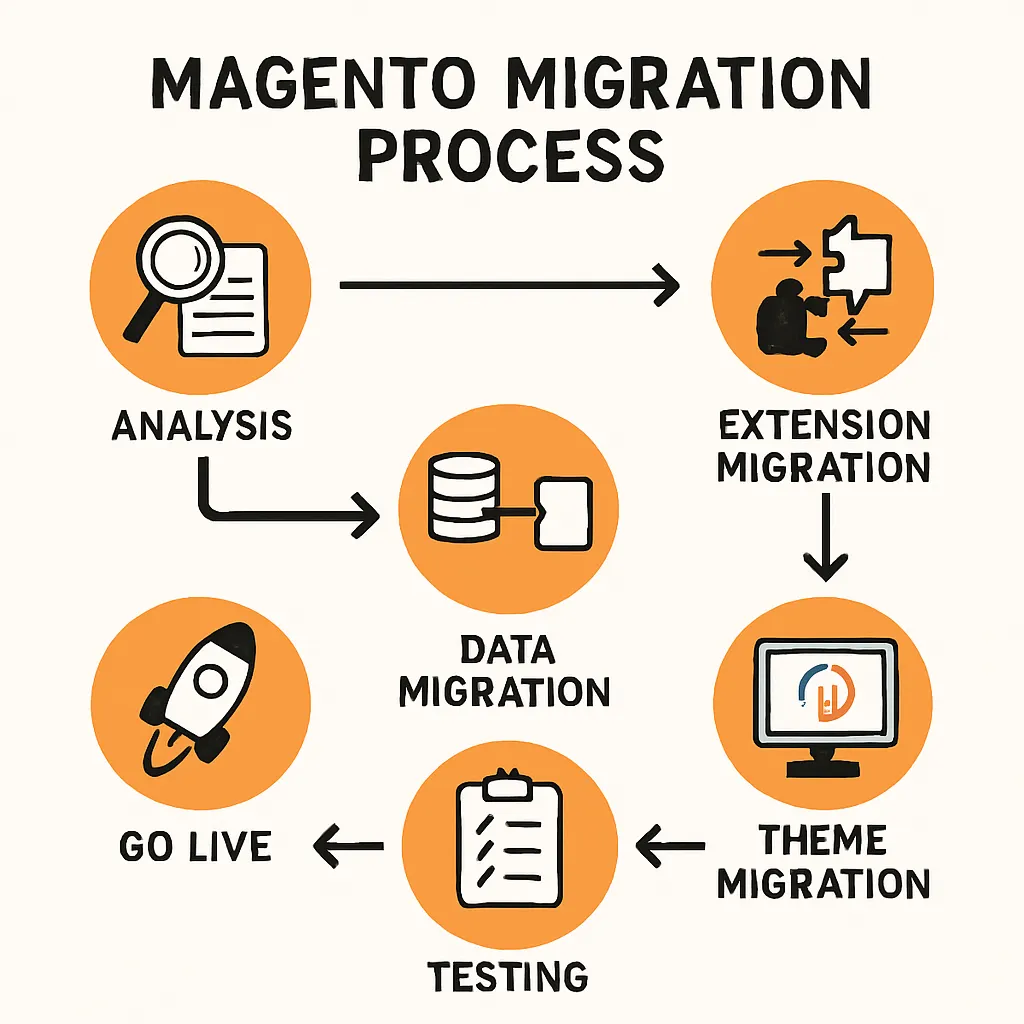
The shift from Magento 1 to Magento 2 is more than an upgrade. It involves rebuilding your store from the ground up. This process is intricate and requires a comprehensive strategy. These Magento 1 to Magento 2 migration challenges demand cross-functional planning across data, design, and operations.
Migrating includes several crucial stages. These stages go beyond just transferring data. They touch on multiple areas of the store’s functionality.
Key components of a migration plan include:
- Data transfer
- Theme redevelopment
- Extension compatibility checks
- Performance optimization
- Security enhancement
Data migration is fundamental. It’s not only about moving existing customer data. It encompasses transferring orders, product details, and more.
The theme component is another complex aspect. Magento 2’s design architecture is different. Thus, themes from Magento 1 can’t be used directly.
Additionally, extension compatibility must be addressed. Many Magento 1 plugins are not compatible with Magento 2. Finding suitable alternatives or rebuilding them is often necessary.
Performance optimization is vital after migration. Magento 2 offers improved performance features, but only if correctly implemented. Missteps can lead to significant slowdowns.
Security is another significant factor. Magento 2 provides enhanced security features. However, they must be properly configured to benefit fully.
The migration process can be daunting. Nonetheless, with meticulous planning, it leads to a more robust and scalable store. Understanding its complexities is essential for a successful transition.
Developers, store owners, and managers must align their efforts. They must also remain informed about potential challenges. This awareness can turn potential hurdles into growth opportunities.
Key Differences Between Magento 1 and Magento 2
Magento 1 and Magento 2 are distinct platforms. They bring different features and advantages to the table. Understanding these differences is crucial for a successful migration.
First, Magento 2 offers superior performance. It has optimized page load speeds and improved query processing. Faster websites enhance user experience and boost conversions.
Another difference lies in the architecture. Magento 2 uses a more modern tech stack. This includes HTML5, CSS3, and improved JavaScript support. It results in a smoother, more flexible user interface.
The checkout process in Magento 2 is also streamlined. It is designed to minimize friction, thus reducing cart abandonment. This enhancement potentially increases sales for store owners.
Security features are another key differentiator. Magento 2 is equipped with advanced security measures. These measures help protect against vulnerabilities that were present in Magento 1.
Here are some major distinctions:
- Improved performance and scalability
- Modern, flexible tech stack
- Enhanced security features
- Streamlined checkout process
- Better admin interface
The admin interface in Magento 2 is another major upgrade. It is more intuitive and user-friendly compared to Magento 1. This allows for easier store management and fewer errors.
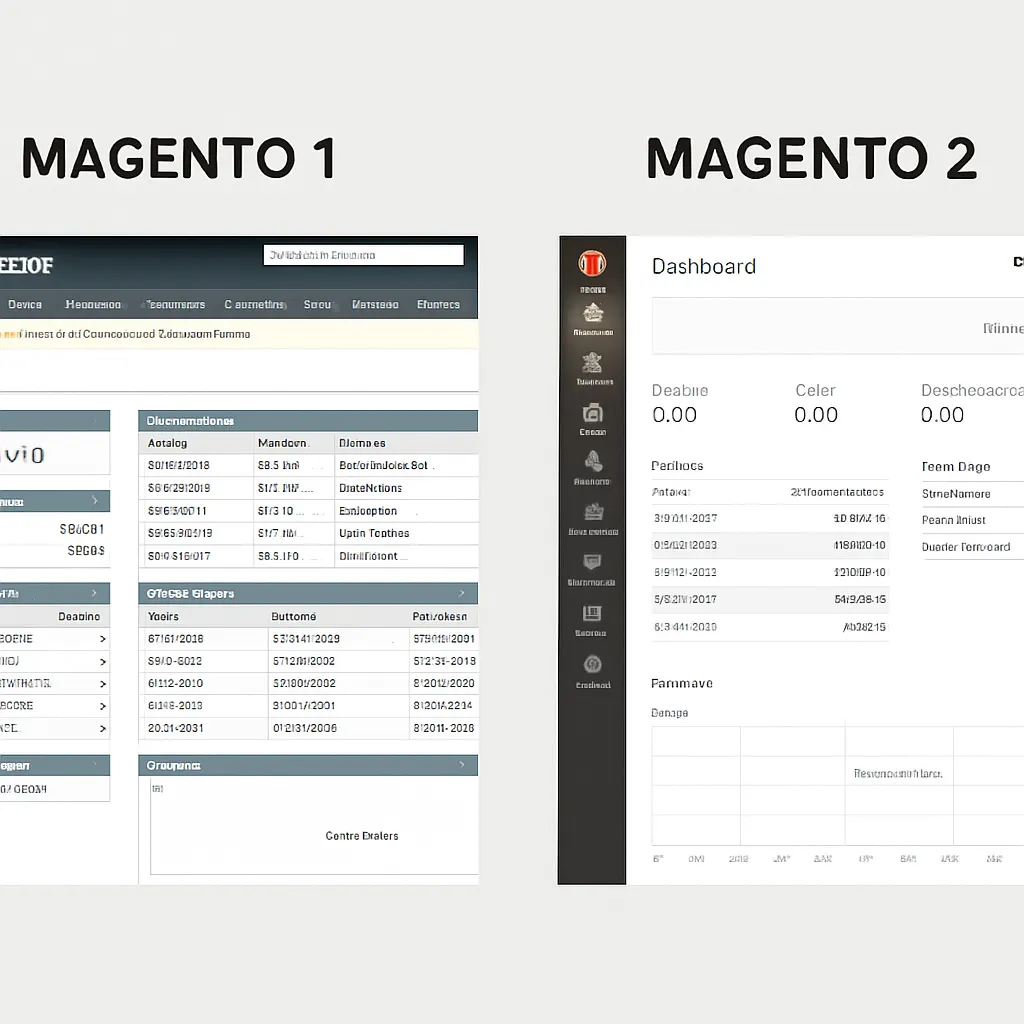
Overall, Magento 2 represents a significant evolution. Its features are more aligned with current market demands. This is why many businesses choose to migrate, despite the challenges involved.
Common Magento 2 Migration Issues Faced by Store Owners
Migrating to Magento 2 presents several challenges for store owners. These hurdles can disrupt operations and affect performance if not handled correctly. Knowing these common issues helps in preparing for a smoother transition.
Data migration is often a significant obstacle. Transferring large datasets from Magento 1 can be complex. It requires careful validation to prevent data loss or corruption.
Design compatibility is another concern. Magento 1 themes are not compatible with Magento 2. This requires either a redesign or choosing a new theme.
Extensions and plugins can also become problematic. Magento 2 may not support existing Magento 1 extensions. This can lead to conflicts and functionality loss.
Performance challenges might arise post-migration. Without optimization, Magento 2 may not deliver the expected speed improvements. This can impact user satisfaction and search rankings.
Security issues can emerge if not correctly configured. Despite stronger security in Magento 2, improper setup can expose vulnerabilities.
SEO impact remains a critical factor. Changes during migration can affect search engine rankings. This might reduce organic traffic temporarily.
Lastly, admin panel usability is sometimes overlooked. Magento 2 presents a different interface. Users might face a learning curve, potentially slowing down operations.
Some key migration challenges include:
- Data migration and validation
- Theme redesign or selection
- Extension compatibility conflicts
- Performance optimization
- Security configurations
- SEO impact
- Admin panel adjustments
Recognizing these problems can lead to proactive solutions. Preparation is key to mitigating risks and ensuring a smooth transition.
Data Migration Challenges
Data migration is a core part of the Magento upgrade. This process involves moving products, customers, and order histories. These components are vital to daily business operations.
Errors during data migration can cause significant disruptions. Incorrectly migrated data can harm customer relationships. Anomalies in product data can lead to inventory issues.
A comprehensive data audit is often required. It ensures accuracy and completeness before the migration. This practice reduces the risk of errors.
Business owners should consider data cleaning before the transition. Removing outdated or duplicate entries can simplify the migration. It ensures only relevant data is transferred.
Testing the data migration process is essential. Perform several test runs to identify potential pitfalls. It helps prevent surprises during the actual migration.
Tools and extensions are available to aid data migration. Consider these solutions for a more seamless process.
Key data migration steps include:
- Conducting a full data audit
- Cleaning and updating data records
- Running migration tests
- Using migration extensions
Detailed planning minimizes data-related hiccups. These steps ensure critical data remains intact and reliable post-migration.
Theme and Design Compatibility Issues
Themes play a critical role in e-commerce stores. They define the visual appearance and user experience. Magento 2 uses a different theme structure than Magento 1.
Magento 1 themes cannot be directly migrated to Magento 2. A new theme must be designed or chosen. This adds complexity to the migration process.
Migrating a theme involves rebuilding or purchasing a compatible one. Custom themes require careful attention. They need to replicate Magento 1’s look and feel while taking advantage of Magento 2 features.
Store owners must evaluate their current theme. Decide whether to rebuild it or select a new one. Consider the latest design trends and user experience enhancements.
Testing the new theme is critical. Ensure all features work as expected before going live. Test on multiple devices for consistency.
Some steps to manage theme migration:
- Assess the current theme’s components
- Decide on rebuilding or redesigning
- Test extensively on various devices
- Leverage user feedback
Theme compatibility isn’t just about aesthetics. It impacts functionality and user engagement, making it an essential aspect of the migration.
Magento Extensions and Plugins: Compatibility and Conflicts
Extensions and plugins extend Magento’s functionality. They often tailor a store to specific needs. However, they can be challenging during the migration process.
Magento 2 has different coding standards. Extensions from Magento 1 may not be compatible. This can cause significant functionality loss post-migration.
Store owners should audit existing extensions. Identify essential ones and confirm their availability in Magento 2. Unsupported extensions require finding alternatives or custom development.
Conflicts between extensions can occur. This usually happens when multiple extensions try to perform similar tasks. Testing for conflicts is crucial to ensure smooth operation.
New extensions for Magento 2 should be updated frequently. It prevents compatibility issues with future Magento updates.
Managing extensions includes:
- Performing a comprehensive extension audit
- Identifying essential and compatible extensions
- Testing for conflicts
- Updating regularly

Understanding these factors allows for better extension management and maintaining desired functionalities post-migration.
Performance Challenges After Migration
Performance is critical for online stores. Speed affects user satisfaction and conversion rates. Magento 2 is designed to be faster than its predecessor. However, certain challenges can slow it down.
Inadequate server configurations can hinder performance. Magento 2 requires more resources to function optimally. Ensure that hosting solutions provide adequate capacity and speed.
Caching strategies are crucial for enhancing performance. Magento 2 supports advanced caching methods like Varnish. Proper configuration ensures faster load times.
Database tuning is another area to focus on. Efficient database management enhances query performance. This directly impacts how quickly pages load and transactions process.
Image optimization also impacts loading speeds. Compressed images reduce data load and enhance performance. Magento 2 offers tools for this purpose.
Consider performance enhancement strategies such as:
- Optimizing server configurations
- Implementing advanced caching
- Tuning database settings
- Optimizing images
Addressing performance ensures that the migration meets its goal of improving user experience and boosting conversions.
Security Concerns in Magento 2
Security is paramount when operating an online store. Magento 2 offers enhanced security features compared to Magento 1. However, migrating without proper configurations can introduce vulnerabilities.
Ensuring the latest security patches is crucial. Regular updates help protect against known vulnerabilities. This should be a continual process, not just a one-time setup.
Magento 2’s security features include two-factor authentication and stronger hashing algorithms. Implementing these features enhances security posture.
Misconfiguration remains a common issue. Proper server setup and configurations prevent unauthorized access. Poor setup could lead to data breaches or service downtime.
Some key security practices include:
- Regularly applying security patches
- Using two-factor authentication
- Ensuring secure hosting configurations

Security isn’t just about tools but about practices. Staying vigilant and proactive prevents threats and protects customer data.
SEO Impact and Ranking Fluctuations
SEO is crucial for driving traffic to online stores. Magento 2 migration can impact SEO if not handled carefully. Changes in URLs and site architecture can lead to ranking fluctuations.
Proper planning minimizes SEO disruptions. A detailed SEO audit before migration helps identify critical areas. It ensures vital changes don’t negatively affect search engine rankings.
Monitoring site performance post-migration is essential. Track fluctuations and identify trends. Address issues quickly to minimize impacts.
Consider setting up redirects for old URLs. This practice preserves link equity. It signals to search engines the continuity of content, minimizing ranking loss.
Some SEO steps include:
- Performing pre-migration SEO audits
- Monitoring post-migration performance
- Implementing URL redirects

SEO success post-migration relies on foresight and diligence. Keeping rankings stable ensures traffic continues to flow to your store.
Admin Panel and Backend Usability Issues
The admin panel is the control center of a Magento store. Magento 2 offers a more sophisticated panel than Magento 1. Nonetheless, it can present usability challenges.
Users might experience a learning curve. The layout and tools are different from Magento 1. Training may be necessary to get the team up to speed.
Certain backend processes also change. Tasks may need new procedures or configurations. Adapting quickly is essential to maintain operations.
Consider the following to ease transitions:
- Providing user training
- Documenting new procedures
Adapting to the new admin panel allows for efficient store management. It ensures administrative tasks are completed smoothly.
Post-Migration Data Loss and Recovery
Data loss is a daunting issue during migration. Critical business data must be protected throughout the process. Even small losses can have large impacts on operations and finances.
Implementing robust backup solutions is key. Regular backups before, during, and after migration minimize data loss risks. Ensure backups are comprehensive.
Testing backups is equally important. Recovery tests verify that backups can restore data effectively. This mitigates risks in case of an issue.
Data loss prevention strategies include:
- Using comprehensive backup solutions
- Regularly testing data recovery processes
Effective data management strategies protect business continuity. Proper preparation minimizes data-related worries and ensures a successful transition.
Magento 1 to Magento 2 Migration Challenges: Real-World Examples
Real-world migration projects shed light on the various hurdles faced by businesses. These examples highlight common pitfalls and illustrate effective solutions.
A small retail store faced compatibility issues. Their custom themes failed to work on Magento 2. They opted to rebuild the theme, incorporating modern design elements and mobile responsiveness.
Another merchant grappled with data migration complexities. Errors in data transfer led to operational disruptions. They resolved this by implementing a phased migration and conducting multiple tests.
One e-commerce company encountered SEO challenges. Their initial migration caused a drop in search rankings. They combated this by deploying strategic redirects and SEO audits.
Extension conflicts troubled another business, rendering features unusable. They overcame this by collaborating with extension developers to ensure compatibility with Magento 2.
Security was a concern for a tech-based retailer post-migration. Initially, they left several weak points open. Engaging a specialist to audit and refine security settings mitigated these risks.
These examples underline key migration challenges:
- Custom theme redevelopment
- Phased data migration and tests
- Strategic SEO adjustments
- Extension compatibility checks
- Security audits post-migration
Applying lessons from these cases can guide businesses through their migration journeys. Tailoring strategies to unique situations enables smoother transitions and enhanced outcomes.
The Role of Magento Web Developers and Agencies in Migration Success
Magento web developers and agencies play a pivotal role during migration. Their expertise ensures a seamless transition. Many store owners lack the technical knowledge needed for such complex tasks.
Developers provide tailored solutions, addressing unique business needs. They assess current setups and recommend best practices. This evaluation helps identify potential pitfalls early in the process.
Agencies offer comprehensive services, covering design, development, and maintenance. They have access to specialized tools, expediting the migration. Collaborating with professionals reduces the risk of errors.
Web developers assist in theme adaptation. They ensure that visual and functional elements align with Magento 2’s architecture. This synchronization improves user experience and reduces downtime.
Additionally, developers handle data migration intricacies. They ensure data integrity and minimize losses during transfer. Such meticulous attention maintains operational continuity.
Security in Magento 2 is enhanced by professional intervention. Developers implement robust security measures, protecting sensitive information. This protection is crucial given the rise of cybersecurity threats.
A migration partner can provide insights into performance optimization. They tweak server settings and integrate caching solutions for better speed. These actions enhance site performance and customer satisfaction.
The role of developers and agencies involves:
- Evaluating store needs
- Providing tailored solutions
- Handling data migration
- Enhancing security
Involving a skilled team can transform migration challenges into opportunities. Their guidance is invaluable in achieving a successful transition to Magento 2.
How to Choose the Right Magento Development Company or Agency
Choosing the right Magento development company can greatly influence migration success. Not all agencies offer the same level of service. Hence, careful selection is crucial.
First, assess the agency’s experience. Agencies with a proven track record in Magento 2 migrations are preferred. Their expertise results in fewer mistakes and smoother transitions.
Next, evaluate their portfolio. Reviewing past projects provides insights into the agency’s capabilities. It’s important to see if they have handled similar migration challenges before.
Customer reviews and testimonials also offer valuable perspectives. Feedback from previous clients can reveal the agency’s reliability and customer service quality. Look for consistent positive comments.
Don’t forget to inquire about their approach to problem-solving. An agency should demonstrate proactive strategies for resolving migration issues. This reduces unexpected setbacks during the process.
Communication is another critical factor. The agency should maintain clear and continuous communication. Regular updates keep you informed and allow for timely decision-making.
Lastly, compare pricing. The cost of migration can vary widely. Ensure the agency provides transparent pricing and aligns with your budget constraints.
Essential criteria to consider include:
- Experience and track record
- Previous client reviews
- Approach to problem-solving
Shortlist top Magento development companies in USA if you prefer a local partner and time-zone alignment.
By focusing on these factors, you can select a development company or agency that best suits your needs. A well-chosen partner can provide the necessary support and expertise for a successful Magento 2 migration.
Best Practices to Overcome Magento 2 Migration Issues
Migrating to Magento 2 presents unique challenges. However, adopting best practices can help mitigate these issues.
Thorough planning is the cornerstone of a successful migration. Draft a detailed roadmap that outlines each stage. This will prevent overlooked steps.
Testing is crucial. Perform rigorous testing in a sandbox environment. Identify and rectify errors before going live to avoid disruption.
Prioritize data migration accuracy. Double-check all migrated data to ensure consistency. Data integrity should not be compromised during the transition.
Enlist experienced developers. Skilled Magento web developers possess the necessary knowledge to handle complex migrations effectively. Their expertise is invaluable.
Conduct a comprehensive audit of extensions. Ensure that all Magento Extensions and Plugins are compatible with Magento 2. Incompatibilities can cause significant setbacks.
Optimize for performance. Fine-tune server settings and employ caching mechanisms. Performance optimization minimizes downtime and enhances the user experience.
SEO considerations must be a priority. Monitor search engine rankings post-migration. Address SEO impact issues to maintain visibility.
Regular monitoring and feedback collection are important. Continuously track the site’s performance and user feedback. Promptly address emerging concerns.
Helpful best practices include:
- Comprehensive migration roadmap
- Consistent testing and auditing
- Strategic performance optimization
Benefits of implementing best practices:
- Reduces migration-related risks
- Ensures smoother transition
- Enhances store functionality
Ultimately, these best practices pave the way for a successful Magento 2 migration. They minimize potential downtime and preserve the store’s functionality and performance. Engaging with the right Magento development agency can further streamline the process.
Optimizing Magento Extensions and Plugins for Magento 2
Optimizing Magento Extensions and Plugins is vital for the smooth operation of a Magento 2 store. This step ensures that all functionalities work as intended without causing conflicts.
Start by evaluating existing extensions. Identify which ones are essential for your store. Redundant or incompatible extensions should be avoided to prevent unnecessary complications.
Updating extensions is crucial. Many developers offer updated versions compatible with Magento 2. Always choose updated versions to leverage improved features and compatibility.
Conduct thorough testing of each extension. Validate them in a staging environment. This will identify any potential issues before they affect the live store.
In some cases, customizing extensions may be necessary. Tailor them to fit your store’s unique needs. This step can prevent functionality overlaps and conflicts.
Consider the benefits of custom-built solutions. Tailor-made extensions can offer more precise solutions than off-the-shelf options. They ensure optimal integration with Magento 2 systems.
Key strategies for extension optimization include:
- Regular updates and version checks
- Comprehensive testing environments
- Custom solutions for unique needs
Effective optimization enhances the overall performance and security of your store. It also ensures a seamless user experience.
By focusing on optimization, store owners can ensure that their Magento 2 store operates efficiently. This process reduces the likelihood of extension-related issues and enhances overall store performance.
Performance Optimization Strategies for Magento 2 Stores
Performance is a crucial aspect of Magento 2 stores. Optimizing it can enhance user experience and boost sales.
Begin with server configuration. Ensure that you’re using a robust hosting solution. Consider cloud-based services for scalability and flexibility.
Caching mechanisms can dramatically improve performance. Enable full-page caching to reduce load times. This step ensures that users enjoy a seamless browsing experience.
Image optimization is another critical area. Use tools to compress images without losing quality. Faster loading images contribute significantly to overall site speed.
Database optimization should not be overlooked. Regularly clean up logs and implement indexing. This practice ensures quick access to stored data and enhances store operations.
Review third-party extensions regularly. Remove or replace any that may slow down the system. Even well-built extensions can affect speed if not properly integrated.
Load testing is essential. Before major promotions or updates, test your site under expected traffic conditions. Load testing reveals potential bottlenecks before they become serious issues.
Key performance strategies for Magento 2:
- Server and hosting optimization
- Effective use of caching
- Image and database optimization
These strategies can significantly reduce loading times and improve user satisfaction. Implementing such practices will provide tangible benefits for store performance.
In conclusion, performance optimization is a continuous process. Regularly review and update practices to keep up with technological advancements. Your Magento 2 store will benefit from a more efficient operation and an increase in customer satisfaction.
Ensuring SEO Success After Magento 2 Migration
SEO is a critical concern during migration. It’s essential to maintain rankings and visibility post-transition.
Begin with thorough planning. Analyze current SEO strategies before migration. This ensures that you can replicate and enhance successful practices in Magento 2.
Redirects are vital for maintaining link equity. Implement 301 redirects from old URLs to new ones. This step prevents the loss of valuable traffic and avoids a drop in ranking.
Ensure metadata is accurately transferred. Retain optimized title tags and meta descriptions across the new site. These elements play a critical role in on-page SEO.
Re-evaluate your sitemap. Generate a new XML sitemap reflecting the updated site structure. A clear sitemap helps search engines index your pages efficiently.
Review and update internal linking structures. Ensure that no broken links exist and that the new site hierarchy is logical. This improves user experience and helps search engines understand your content.
List of immediate post-migration SEO tasks:
- Implement 301 redirects
- Transfer metadata accurately
- Recreate XML sitemap
Don’t overlook mobile optimization. Ensure the site is responsive and performs well on mobile devices. Google’s mobile-first indexing prioritizes mobile-friendliness, affecting your rankings.

Constantly monitor site performance through analytics. Check for changes in traffic patterns and ranking shifts. Prompt responses to fluctuations can prevent long-term damage to your SEO efforts.
By focusing on these areas, you can ensure a smooth SEO transition to Magento 2. This proactive approach helps retain and potentially enhance your online presence after migration.
Ongoing Maintenance and Support: Keeping Your Magento 2 Store Healthy
Maintaining a Magento 2 store requires consistent effort. Regular updates and checks ensure your store operates smoothly.
Security updates are critical. Apply patches promptly to protect your site from vulnerabilities. This proactive approach minimizes risks.
Performance monitoring is necessary. Analyze site speed regularly and optimize when needed. Fast loading times improve user experience and satisfaction.
List of maintenance tasks to keep the store healthy:
- Apply security patches
- Monitor performance metrics
- Regularly update extensions
Keep your Magento Extensions and Plugins updated. Ensure all installed add-ons function well with the latest Magento version. Compatibility checks can prevent unexpected breakdowns.
User feedback provides valuable insights. Listen to customers and make adjustments based on their experiences. Addressing concerns can enhance functionality and trust.
Magento web developers are essential in maintaining a site. They keep your store aligned with best practices and technological advancements. Their expertise ensures a robust and reliable Magento 2 store.
When to Hire Magento Developers: Signs and Benefits
Knowing when to hire Magento developers can save your business from costly mistakes. Here are some signs it’s time to seek professional help.
First, if your team lacks Magento experience, hiring experts is vital. Magento’s complexity demands specialized knowledge for effective management.
Performance issues are another indicator. If your store runs slow and customers complain, it’s time to consult developers. Their skills can boost site speed and reliability.
Additionally, upcoming migrations or upgrades require expertise. Professional guidance ensures a smooth transition with minimal disruption to your operations.
List of signs you need a Magento developer:
- Lack of in-house Magento experience
- Persistent site performance issues
- Upcoming major upgrades or migrations
The benefits of hiring Magento developers are substantial. They bring deep insights and skills, ensuring your store is optimized. This expertise can prevent problems and foster growth.
Lastly, partnering with a Magento development agency offers structured support. They can handle ongoing maintenance and implement new features. Their expertise helps maintain a healthy, competitive store.
Conclusion: Turning Magento 2 Migration Challenges into Opportunities
Migrating to Magento 2 is more than a transition; it’s a chance for growth. With the right approach, challenges can become assets.
Embracing these challenges allows you to streamline operations. It forces you to audit and enhance store components, which can boost efficiency.
Moreover, addressing Magento 2 issues head-on enhances your digital presence. Your store becomes more robust and secure as you resolve conflicts.
Key advantages of overcoming migration challenges:
- Streamlined operations and processes
- Enhanced store performance and security
- Improved digital footprint and customer experience
Seize the migration process as a transformative journey. With each challenge, opportunities arise to innovate and improve your e-commerce store’s success.
FAQ
How can I migrate from Magento to Adobe Commerce?
To migrate from Magento (Open Source or Magento 2) to Adobe Commerce, follow a structured replatforming process:
1.Plan the migration scope: Confirm your target Adobe Commerce version/hosting (Adobe Commerce Cloud vs on‑prem), storefront approach (Luma/Hyvä/PWA), and which stores, languages, currencies, and features must carry over.
2.Audit your current site: Inventory products, customers, orders, CMS pages/blocks, attributes, customizations, extensions, integrations (ERP/PIM/CRM), and any technical debt you don’t want to replicate.
3.Set up the new Adobe Commerce environment: Provision a development/staging environment, install Adobe Commerce, and configure core settings (stores, tax, shipping, payment, email, inventory).
4.Rebuild theme and functionality: Recreate your storefront design and replace extensions with Adobe Commerce-compatible modules (or build custom features where needed). Validate all third‑party integrations.
5.Migrate data: Move catalog data, customers, orders, CMS content, and configs. Typically this involves a combination of Magento’s data migration tooling, database scripts, and/or ETL depending on complexity.
6.Preserve SEO and URLs: Keep URL structures where possible, map any changes, implement 301 redirects, migrate metadata, submit updated sitemaps, and verify analytics/tracking.
7.Test thoroughly: Run functional, performance, and security testing—checkout, payments, shipping, promotions, search, admin workflows, and edge cases. Do a full UAT with stakeholders.
8.Cutover and go live: Freeze changes on the old store, run a final delta migration, switch DNS, and monitor logs, orders, payments, and site speed closely post-launch.
9.Post-launch optimization: Fix issues quickly, tune performance/caching, and refine merchandising, search, and conversion flows.