 Manufacturing and Distribution
 Firearms
 Automotive and OEMs
 Healthcare & Life Sciences
 Sports & Outdoor Hunting Gear
 Regulated Industries eCommerce
 Adobe Commerce
 BigCommerce
 Magento
 myMagento
 WooCommerce
 Shopify Plus
 Shopware
 Magento 1 to Magento 2 Migration
 Magento Upgrade Service
 Magento Design
 Magento B2B
 Magento Hosting
 Magento Consulting
 Magento eCommerce Developers
 Magento SEO
 Magento Integration
 Magento Speed & Performance Optimization
 eCommerce Development
 Headless Commerce
 eCommerce GrowthX
 B2B CRO Services
 Enterprise SEO Services
 Email Marketing
 Website Localization Services
 AEO, GEO and AI Search
 AI Tools for Business
 Data Analytics Services
 GrowthX Strategy & Consultancy
 eCommerce Integration
 CRM Integrations
 Accounting Software Integrations
 ERP Integrations
 PIM Integrations
 Payment Gateways Integrations
 Tax Platform Integrations
 eCommerce Site Migrations
 Project Rescue
 Hire Developers
 Free Audit Report
 Extensions & Applications
 Custom Applications for eCommerce
 Magento Extensions
 Security & Fraud Prevention
 User Interface & Experience
 Website Design Services
 Support & Maintenance
 About Us
 Blog
Blog Webinars
 News & Updates
 Downloads
 FAQs
FAQs The Wagento Difference
 Hyvä
Hyvä iPaaS
iPaaS Klaviyo
 Sales Layer
 Sift
Sift Dot Digital
 Nousmedis
 Call
Call Message
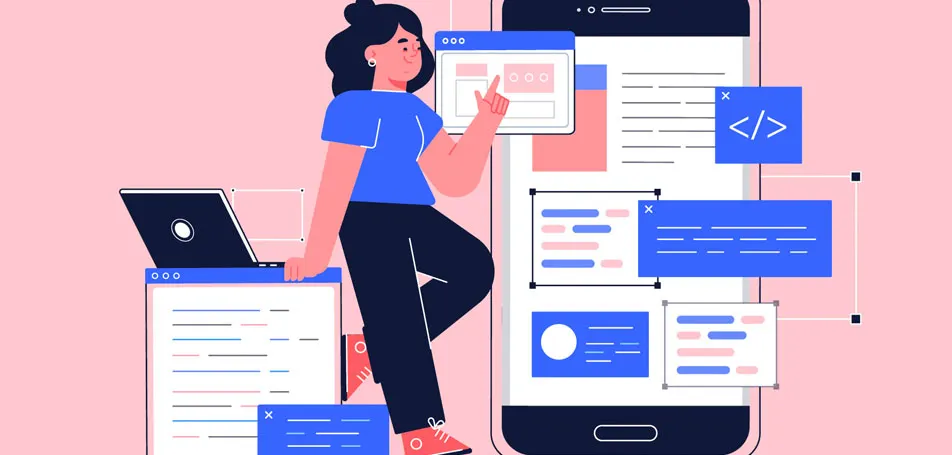
Front-end developers and designers are notoriously misunderstood by each other. “On the one hand,” says front-end developer Sandrina Pereira. “Developers might take for granted that designers know something technical when that might not be true.” On the other hand, designers may feel misunderstood if a developer tells them they’re unable to include a certain feature, or they might complain if an interface doesn’t match their precise design.
However, despite the disagreements between developers and designers, both need to recognize that they’re working towards the same goal: creating an attractive, easy-to-use website for visitors. One way to improve communications right away is for front-end developers to learn the basic principles of design.
Why Front-End Developers Need to Care About UX
“Creating software when considering only the user experience without considering the user interface is like having a very useful but ugly tool,” states an article posted on the UX blog. “UI and UX need to be applied in tandem to achieve the best results possible.” In other words, it won’t matter how incredible the UI is if your customers are unable to navigate the site efficiently! Bad UX can cause SEO rates to suffer, bounce rates to increase, and sales to decrease. As digital consulting company April 9 suggests, “If your user is left stuck not knowing what to do, you probably should rethink your design.”
Best Practices for UX
Developers don’t need to spend hours studying design principles to forge better relationships with designers. It can often be as simple as inviting a designer to sit with you for 15 minutes so they can see how you bring their ideas to life, and vice versa. “Advocating a mindset where everyone gets the chance to be involved in the design and development cycle will help us all to better understand each other’s challenges,” says Pareira. Keeping the following tips in mind can also ensure that the whole development and design process goes smoothly:
- Focus on users. When developing and testing your site, put yourself in the customer’s shoes. Would the average shopper be able to navigate the site quickly? How can you best meet the needs of your visitors?
- Keep it simple. There’s no point in complicating things; try to minimize the number of steps needed to complete a task.
- Use familiar design standards. As the saying goes, “If it ain’t broke, don’t fix it!” Implementing designs that customers are comfortable with will make them feel at ease when browsing the site
- Understand how various elements can create powerful statements. Play around with color schemes, typography, and the site layout to see how different designs can help your brand develop its voice and stand out from the competition. You may surprise yourself with your own creativity!
If you’re ready to get your eCommerce project underway, plan with us! Wagento developers can help you accomplish your UX goals!