

















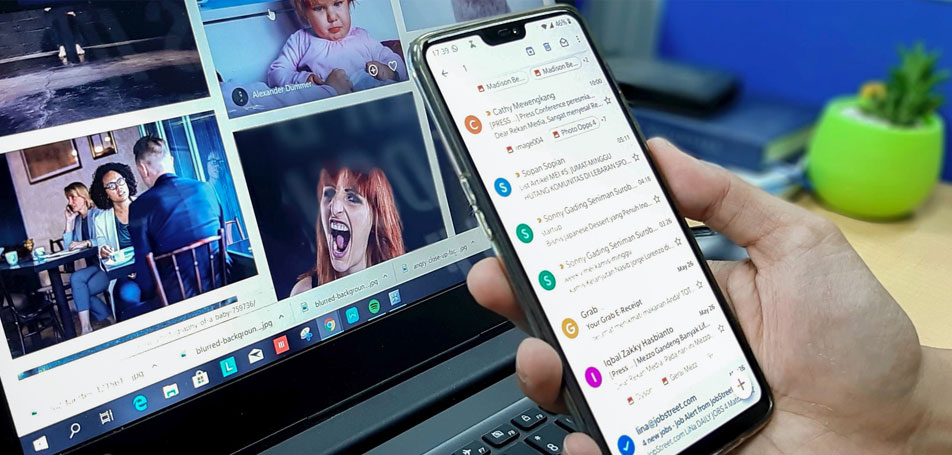
How many unread emails are sitting in your inbox currently?
Does the number run in two digits or three?
You’ve probably got your head spinning even thinking about it. Like it or not, emails are here to stay. They continue to be the primary mode of business communication.
The popularity of email continues to defy the ‘experts’ who predicted its demise. As of 2026, there are now over 4.73 billion email users worldwide. This number is projected to climb toward 5 billion by 2028, proving that email remains the undisputed backbone of global business communication.
Nearly four billion people worldwide use emails in 2021, despite the plethora of chat and messenger applications available today. The popularity is only projected to increase, with Statista putting the estimated number of email users at 4.59 billion in 2025.
But what happens when you don’t manage your emails properly?
It results in utter chaos.
In that pile of emails, you might lose an important opportunity, message, or project, and one can only imagine the mess if you decide not to manage your inbox. A study conducted on teams at Microsoft analyzed their digital habits.
And the findings were bold but true to the fact. It found that “ignoring email was a telltale sign of ineffective managers.” It was established that such professionals didn’t value other people’s time and weren’t as organized as they needed to hold that position.
The Foundation: Choosing the Right Infrastructure
Before diving into daily habits, large organizations must ensure their Administrative Email System is robust. Using a cloud-based enterprise suite like Google Workspace or Microsoft 365 allows for better scaling, security, and centralized management. Ensure your domain uses a standardized naming convention (e.g., firstname.lastname@) and utilizes Role-Based Addresses (like support@ or hr@) to ensure continuity even when staff changes.
So, how do you manage emails?
We all know how Customer Service Management helps prioritize important tasks, reducing the amount of time, effort and resources used to work on them. In the same way, implementing email management software is also necessary for improving relations with the customers and to have seamless operations. Ahead, you can read about these 15 email management strategies that will help your business:
1. Say Goodbye to Irrelevant Emails
Consider this. You subscribed to an email newsletter thinking the information is valuable and would help you in the long run. But for the last three months or so, you’ve observed that their content has become stale, unappealing, and no longer adds that value.
What do you do? Unsubscribe.
Email hygiene is more critical than ever. Recent data shows that spam still accounts for nearly 48% of global email traffic. However, the threat has evolved; today’s spam is often AI-driven phishing, making robust filtering and administrative protocols like DMARC non-negotiable for modern businesses.
Did you know that in March 2021, approximately 45% of email traffic was spam? You might want to take the unsubscribe route for those spammy, mass promotional emails too.
2. Create a Separate Folder for Pressing Emails
Urgent emails that need follow-up?
Move those to a dedicated folder. You want to go a step further and create an event on Google Calendar (or Outlook Calendar). Be sure to add the location of your folder in the reminder.
Leigh Ann Newman Suggested this brilliant yet simple idea in an interview with The Muse.
To make this even more effective, apply the “Touch It Once” Principle: when you open an email, take action immediately—file it, delete it, or schedule it—to avoid wasting time revisiting the same message.
3. Use Labels to Simplify Email Management
Did you know that users spend nearly 28% of their office hours replying to emails? Without labels, you could be spending more time than the average.
What are email labels, though?
These are tags used to classify emails based on their content. When you buy groceries, you already know what’s inside a container because of the labels and nutritional information on the pack. Email labels work similarly.
You can, for example, label emails using your client’s name or the project name, if you will. This will help you put the customer’s needs first and manage their expectations more effectively with a customer centricity approach.
You can automate this by setting up Filters and Rules that automatically tag and sort incoming mail into these folders before you even see them.
4. Say Hello to Pomodoro
Even though many people know the Pomodoro technique, you probably won’t find this email management tactic anywhere.
Designed by Francesco Cirillo, the Pomodoro technique consists of the following steps:
- Using an online Pomodoro timer, set aside a specific time period (25 minutes, 30 minutes, or 40 minutes) for a task during which there can’t be any distraction
- At the sound of the buzzer, take a short break (five minutes, for example)
- Repeat step one
- After four cycles, take a longer (20–30-minute break)
But here’s the catch. Use your longer/shorter break to read/respond to your emails. This way, your work time won’t be compromised, and your productivity will reach new, previously unattainable levels.
5. Preview to Save Time
This email management method is a great time saver. Since most email providers offer a preview feature, use it to your advantage.
By reading the first few lines of your email preview, you can tell if it needs immediate attention or if it’s junk. You can move it to your ‘follow-up’ folder (refer to the second strategy). And well, you know what to do with junk – move it to the bin.
Think about all the virus-infected emails you could delete and never open them!
Adjust your Reading Pane settings (to the right or bottom) to suit your workflow, allowing you to scan the content of messages without fully opening each one.
6. Organize Emails with Mini Inboxes
Too many emails to be sorted by labels?
How about creating multiple inboxes instead?
It’s brilliant, really, and super easy!
By creating mini-inboxes for different projects, prospects, clients, email types, you will leave your days of haphazard emails behind.
7. Get to the Point
Brevity is the soul of wit.
This proverb has continued to stand the test of time for a reason.
If your message can be summed up in four bullet points, then don’t go on writing four paragraphs while drafting your emails. Use tools such as Hemingway and WhiteSmoke to write concise, error-free emails. Your colleagues will thank you for the saved time and energy.
Practice the Two-Minute Rule: if a reply will take less than two minutes, do it immediately to prevent small tasks from snowballing into a massive backlog.
8. Manage Emails on the Move
Download the mobile app version offered by your email service provider. Some may find this email management technique counter-intuitive. After all, you don’t want to be bombarded with email notifications even after work hours.
But you can always turn off the notifications after you call it a day. However, when traveling, use that time to respond to your phone emails quickly.
9. Don’t Sabotage Immediate Tasks
Email is work, and it is essential – undoubtedly. But unless it’s extremely necessary, don’t quit more immediate tasks at hand to read emails. You don’t want to multitask.
Instead, you need to find time in between that’s solely dedicated to managing emails. Remember Pomodoro? It’d be pretty handy to help you prioritize things.
Got five minutes in between meetings? Use that to check your latest emails, but other than that, your entire focus should be on the task at hand.
Turn off real-time notifications. Constant alerts pull you out of “deep work.” Checking your inbox in focused blocks is far more efficient than reacting to every ping.
10. Set Up Autoresponders
Research indicates that nearly 52% of people expect fast responses to their work emails, typically within 12-24 hours. But very few people meet that expectation.
If you’re in the same boat and cannot respond immediately, consider setting up autoresponders to acknowledge your client’s (or employee’s) email and let them know that you’d be following up with a detailed response ‘x’ hours later.
11. Create an ‘Out of Office’ Auto Reply
You cannot manage emails 365 days (or 366) in a year.
Before you go on leave, be sure to set up an ‘out of office’ automated response, a feature offered by both Gmail and Outlook.
That way, when you’re back to work, you won’t be overwhelmed with a swarm of emails collecting dust in your inbox.
12. Leverage Email Management Software
This strategy is a boon for people who receive hundreds of emails daily.
Use email management software, such as HubSpot, Helpwise, Emailigistics, etc., to utilize analytics, set up powerful email workflows, and collaborate seamlessly with employees and customers.
For large-scale operations, consider specialized tools like Mimecast for security filtering or Zendesk/Front for high-volume shared inboxes. Additionally, ensure your system uses SPF, DKIM, and DMARC protocols to protect your domain from spoofing and ensure high deliverability.
13. Archive Your Emails to Review Later
Often, you don’t have the time to decide if an email is essential or not right away. Instead of letting it stay in your inbox, use the archive feature instead.
That way, you keep your inbox clean, make space for new emails, and get back to your archived emails later. Remember, this does not delete your email – only moves it to an easily searchable archive folder.
14. Create Templates for FAQs
Say you’re running a business. When you onboard new clients, they would probably have some common questions for you.
Instead of writing each email from scratch, you can create templates for these FAQs and just send them when needed as part of a white glove service.
Here’s how you can create email templates in Gmail and Outlook.
15. Send Fewer Emails
Send fewer emails – get fewer replies.
It’s the easiest email management trick you can try. If it’s possible to handle a few things in-person, schedule a quick phone call, or send a text, then try to refrain from sending emails to avoid crowding your inbox.
Make Your Life Easier with Email Management
Email is, undoubtedly, an excellent means of business communication. But with power comes responsibility (as rightly said by Uncle Ben in the original Spider-Man movie). A decade ago, email management wasn’t a buzzword as it is today. Why?
Because people weren’t constantly inundated with promotional emails, app notification emails, payment transaction emails, food delivery emails, movie ticket emails, and so much more. The need for email management tips has never been more apparent.
Summary Checklist for Organizations:
- Infrastructure: Choose a scalable platform (Workspace/M365).
- Security: Enforce Multi-Factor Authentication (MFA).
- Governance: Set clear Service Level Agreements (SLAs) for response times.
- Hygiene: Regularly clean, archive, and monitor storage usage.
Using the strategies laid out above, you’ll start to love emails and not despise them. And, with time, you’ll only become more efficient at managing your inbox.
Frequently Asked Questions (FAQ)
1. What is the “Touch It Once” principle in email management?
The “Touch It Once” principle is a productivity strategy where you commit to taking action the very first time you open an email. Instead of reading it and leaving it in your inbox to deal with later, you must immediately choose one of four actions: Delete, Delegate, Respond, or Schedule. This prevents the mental fatigue of re-reading the same messages multiple times.
2. How do I stop my inbox from becoming overwhelmed by newsletters?
The most effective way is to perform a “subscription audit.” If you haven’t found value in a newsletter for over three months, use the Unsubscribe link rather than just deleting the mail. For the newsletters you do want to keep, set up Filters and Rules to automatically move them into a dedicated “Read Later” folder so they don’t clutter your main workspace.
3. What are SPF, DKIM, and DMARC, and why do they matter?
These are technical authentication protocols that verify your identity as a sender.
SPF lists authorized IP addresses that can send mail for your domain.
DKIM adds a digital signature to your emails.
DMARC tells receiving servers what to do if an email fails the first two checks. Together, they prevent hackers from “spoofing” your email address and ensure your legitimate business emails don’t end up in your customers’ spam folders.4. How often should I check my email for maximum productivity?
Rather than monitoring your inbox constantly, which disrupts “deep work,” it is best to check email in scheduled blocks. Many professionals find success checking it three times a day: once in the morning, once after lunch, and once before calling it a day. Using the Pomodoro Technique can also help you dedicate specific intervals for email processing.
5. When should I use a shared inbox versus a distribution list?
A distribution list (like [email protected]) simply forwards a copy of an email to multiple people’s private inboxes, which can lead to confusion over who is responding. A shared inbox (using tools like Zendesk or Front) allows a team to access a single central location where they can assign, tag, and track the status of emails, ensuring no customer request is answered twice or missed entirely.
6. Is “Inbox Zero” still a realistic goal in 2026?
While having a completely empty inbox every day is difficult, the spirit of Inbox Zero—which is keeping your inbox as a “processing zone” rather than a permanent storage unit—is more relevant than ever. By utilizing Archives and Mini-Inboxes, you can keep your primary view clear of clutter without losing important historical data.