 Manufacturing and Distribution
 Firearms
 Automotive and OEMs
 Healthcare & Life Sciences
 Sports & Outdoor Hunting Gear
 Regulated Industries eCommerce
 Adobe Commerce
 BigCommerce
 Magento
 myMagento
 WooCommerce
 Shopify Plus
 Shopware
 Magento 1 to Magento 2 Migration
 Magento Upgrade Service
 Magento Design
 Magento B2B
 Magento Hosting
 Magento Consulting
 Magento eCommerce Developers
 Magento SEO
 Magento Integration
 Magento Speed & Performance Optimization
 eCommerce Development
 Headless Commerce
 eCommerce GrowthX
 B2B CRO Services
 Enterprise SEO Services
 Email Marketing
 Website Localization Services
 AEO, GEO and AI Search
 AI Tools for Business
 Data Analytics Services
 GrowthX Strategy & Consultancy
 eCommerce Integration
 CRM Integrations
 Accounting Software Integrations
 ERP Integrations
 PIM Integrations
 Payment Gateways Integrations
 Tax Platform Integrations
 eCommerce Site Migrations
 Project Rescue
 Hire Developers
 Free Audit Report
 Extensions & Applications
 Custom Applications for eCommerce
 Magento Extensions
 Security & Fraud Prevention
 User Interface & Experience
 Website Design Services
 Support & Maintenance
 About Us
 Blog
Blog Webinars
 News & Updates
 Downloads
 FAQs
FAQs The Wagento Difference
 Hyvä
Hyvä iPaaS
iPaaS Klaviyo
 Sales Layer
 Sift
Sift Dot Digital
 Nousmedis
 Call
Call Message
Here is a short exercise. Name every piece of software your online store depends on.
Most people name the platform. Magento, or Adobe Commerce, or whatever the storefront runs on. Some add the ERP. A few mention the payment gateway.
Now name the version number of your database. Your search engine. Your message queue. Your caching layer. Your PHP runtime.
That is usually where the room goes quiet, and it is not a criticism of anyone. That layer has always been somebody else’s problem. It works, it is invisible, and nobody has had a reason to think about it. This year that changed, and the change has a date attached.
Three ways an invisible dependency turns into a real problem
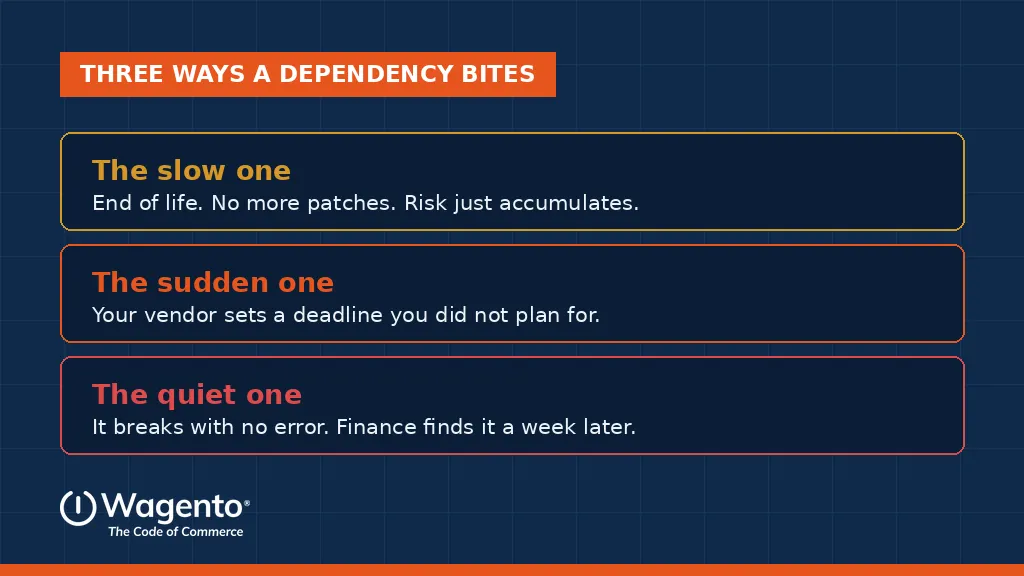
The first is the slow one. A piece of software reaches end of life, stops receiving security patches, and quietly becomes the weakest point in your stack. Nothing breaks. The risk just accumulates, and it usually surfaces during a security review or an insurance questionnaire, at the worst possible moment.
The second is the sudden one. Your platform vendor decides the version you are running is no longer acceptable and attaches an enforcement deadline to it. You did nothing wrong, and you now have a project with a date on it that you did not plan for.
The third is the quiet one, and it is the most expensive. Something in that layer breaks in a way that does not produce an error page. A queue stops draining. A cache serves stale data. Orders stop syncing. The store looks completely healthy, and a week later somebody in finance asks why the numbers do not reconcile.
What the quiet one looks like when it happens to everyone at once
On November 18, 2025, a large part of the internet stopped working for about five and a half hours. X, ChatGPT, Spotify, Canva and a long list of other services returned errors. Downdetector, the site people use to check whether other sites are down, was itself affected.
There was no attack. According to Cloudflare’s own published postmortem, a database permissions change deployed at 11:05 UTC altered the output of a query used to build a configuration file for its bot management system. The change caused duplicate entries, which made the file roughly twice its expected size. That file propagated across the network, and the proxy software handling traffic had a size limit below the new file size. It failed, and returned errors for everything depending on it.
A permissions change on a database produced an oversized file, and a hard coded limit nobody had thought about in years turned it into a global outage.
Now think about what that meant for any merchant in the middle of peak season preparation. Traffic routing, bot protection, and often part of the security path in front of checkout sit with a provider like that. When it fails, customers cannot buy, and nothing in your own code is broken. Your load tests pass. Your monitoring says your servers are healthy. Your team spends the first hour looking in the wrong place.
That is what an invisible dependency looks like at full scale. You did not choose it in any meaningful sense, you cannot patch it, and it is still your revenue. It is worth knowing which providers sit in the path between your customer and your checkout, what happens to your store if each one fails, and whether anyone would notice quickly.
The live example, and it has a date
Adobe has published enforcement deadlines for the third party software running underneath Adobe Commerce on Cloud. Environments that do not meet the requirements can have inbound traffic suspended, which takes the storefront offline. Environments that stay out of compliance after that can eventually be decommissioned.
The first deadline is October 30, 2026. It covers moving off older versions of MariaDB, moving from Elasticsearch to OpenSearch, and updating RabbitMQ. A second wave follows on May 31, 2027, covering PHP, further MariaDB versions, OpenSearch 1.x, and moving from Redis to Valkey.
Two details catch people out, and both are worth checking today.
Being on a recent version does not exempt you. There is no Commerce version upgrade required for 2.4.8 or 2.4.9, so it is easy to read the notice and assume it is somebody else’s problem. The dependency deadlines apply to every version from 2.4.4 upward. Upgrading Commerce did not upgrade what runs underneath it.
And the real deadline is earlier than the published one. Adobe performs these upgrades on request and asks for roughly thirty days of notice, which puts the practical cutoff for October 30 in late September. Since the testing has to happen before the request rather than after, the work starts now.
One important scoping note before anyone panics. This applies to Adobe Commerce on Cloud, the PaaS product. It does not apply to Adobe Commerce as a Cloud Service, to Adobe Commerce on premises, or to Magento Open Source. A lot of merchants are honestly unsure which of those they are licensed for, and confirming it takes minutes.
Two of these are not upgrades at all
Most of the list is a version bump. Low risk, mostly invisible, done in a maintenance window.
Two are different. Moving from Elasticsearch to OpenSearch and from Redis to Valkey means moving to different software, not a newer version of the same software. Anything in your custom code or configuration that names the old one has to be found before the change, not discovered after it.
On a store with years of customization, that search is the actual project. The upgrade itself is a scheduled task. Finding every module, integration, and config file that references the old service is the part that takes real time, and it is the part that produces surprises.
PHP is the third to watch. Version moves surface deprecation warnings in older extensions and in custom code written years ago by people who have since moved on. The more customization you carry, the longer this takes.
The half nobody sends you a reminder about
Adobe performs the infrastructure upgrade. That part is genuinely handled and it is not your job.
Proving that your store still works afterward is your job. Under the shared responsibility model, validating that your extensions, your search behavior, your checkout, and your ERP and PIM integrations all still function after the change belongs to the merchant. Nobody sends a reminder about that half, and it is the half where the risk actually lives.
This is why the same deadline lands so differently on two stores of similar size. A store assembled from a long list of commercial extensions has to check with every vendor and hope their roadmaps agree with the timeline. A store where product data comes from a PIM, systems connect through an integration layer rather than a plugin per connection, and releases ship through a pipeline with automated tests, can run the change on staging and get a truthful answer in days.
This outlives one deadline
The Adobe dates are the urgent example, but the underlying problem is permanent. Every store carries dependencies that nobody owns.
An extension whose maintainer went quiet two years ago. A payment gateway retiring an older API version. A shipping integration pointed at an endpoint that is now deprecated. A PHP version that will age out on a schedule somebody published and nobody read.
The fix is unglamorous and it works. Build a dependency inventory: one line per piece of software, with its current version, its end of life date, and a named person who owns it. Review it once a quarter. That spreadsheet prevents the worst category of outage, which is the one you were warned about months in advance and did not see coming.
What to do in the next two weeks
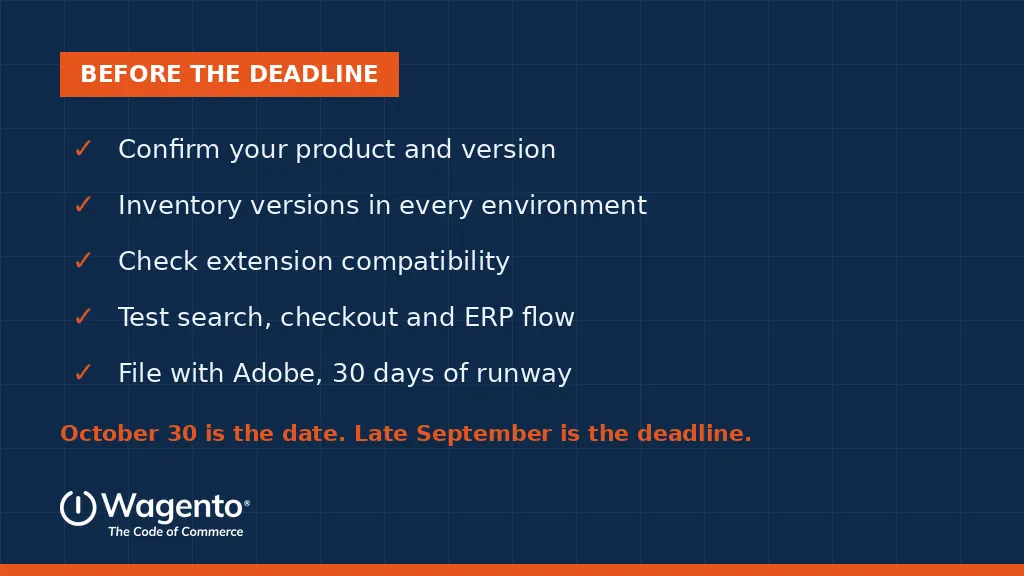
✓ Confirm which product and version you are actually running. Cloud PaaS or Cloud Service changes whether any of this applies to you.
✓ Inventory your dependency versions across every environment, not just production. Staging drifts.
✓ Check whether your extensions support the target versions before anything is scheduled.
✓ Test on a non production environment. At minimum validate search, checkout, and the ERP order flow.
✓ File the request with Adobe with thirty days of runway, then book the production window.
Or hand the whole thing to us
This is routine work for us rather than an emergency project. Version upgrades, dependency changes, and the regression testing afterward are included in the myMagento Pro and Plus plans, along with security patches, infrastructure updates, 24/7 uptime monitoring, and priority support from certified Magento developers. Pricing is published rather than quoted case by case, starting at 500 dollars per month. (See myMagento plans and pricing)
If you are not on a plan, we scope it as a standalone upgrade project. (Magento Upgrade Service)
The only thing we would push you on is timing. Not because something dramatic happens on October 30, but because scheduling tightens every week from here, Adobe needs its notice period, and this same quarter contains your peak trading code freeze. In September this is planned work. In late October it is a scramble on a busier store.
Where to start
Send us your platform version and we will come back with a straight answer: which deadlines apply to you, which dependencies are behind, which of your extensions we would expect to argue with the change, and the order to do it in so the store stays up. No charge, and no obligation to have us do the work.
Book a discovery call: Contact Us | +1 (612) 594-7699
FAQs, with answers
They are the pieces of software your store relies on that are not the storefront itself: the database, the search engine, the caching layer, the message queue, the programming language runtime, and the extensions and integrations layered on top. Each has its own version number, its own release cycle, and its own end of life date. They are invisible when they work, which is why almost nobody tracks them until something forces the issue.