




















Creating and maintaining a high-quality website is crucial for businesses in today’s digital age. An essential part of this process is using a website staging environment, which provides a safe space to experiment, test, and refine applications and websites before they go live.
What is a Website Staging Environment?
A staging web development environment serves as a crucial bridge between the development and production phases of website creation. It is a replica of a production environment that allows developers and project stakeholders to test everything from new features, updates, security patches, to bug fixes in a controlled setting that mimics the live environment without affecting the actual website visible to the public.
This intermediate step is vital for several reasons. Firstly, it ensures that all new changes integrate seamlessly with existing content and functionalities without disruptions. Secondly, it provides a safe space to identify and fix any potential issues that were not caught during the development phase. By using a website staging environment, teams can ensure that the new updates perform as expected under conditions that closely simulate real user interactions on the live site.
It offers an opportunity for feedback from project managers, quality assurance teams, and clients, making it an indispensable tool in modern web development practices.
Here are comprehensive tips and best practices for utilizing these environments to enhance the quality of your website.
Understand the Purpose of Each Website Staging Environment
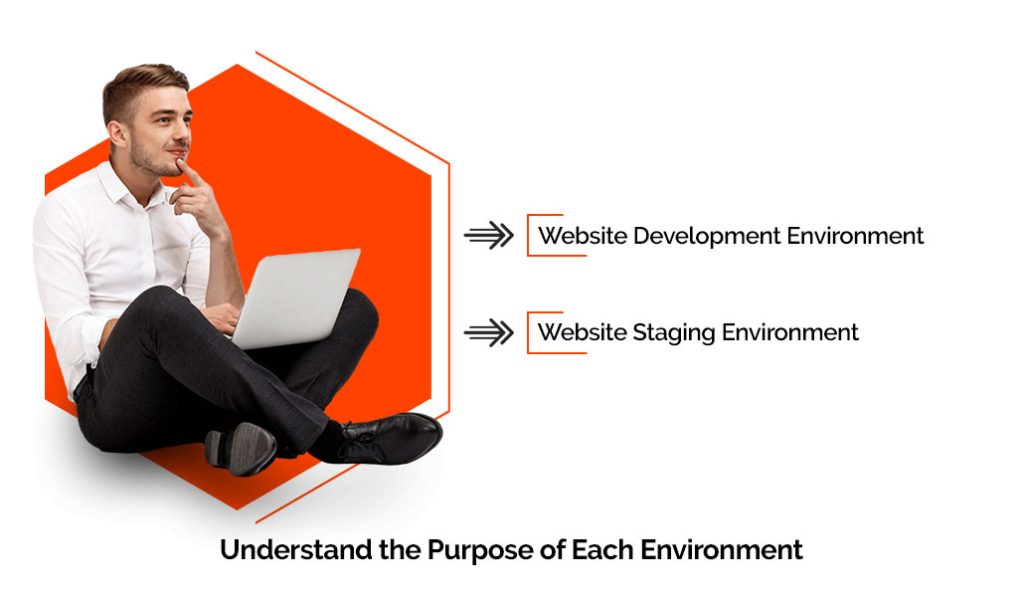
Before diving into testing, it’s important to understand the different types of environments typically used in web development:
Website Staging Environment: This environment mirrors the production environment as closely as possible and is used for final testing before going live. It serves to catch any issues that might not have been identified in previous tests.
Website Development Environment: This is where initial development takes place. It’s the first area where code is written and tested by the developers themselves.
Isolate and Secure Your Website Staging Environment
Ensure that your website staging environments are isolated from the production environment. This separation prevents any unstable code from accidentally being pushed to the live website. Additionally, secure these environments to prevent unauthorized access, which could lead to leaked features or security vulnerabilities.
Use Realistic Data
Testing with data that closely resembles the actual data used in production can help identify issues that might not surface when using placeholder or synthetic data. However, ensure that sensitive data is anonymized to prevent breaches of privacy.
Automate Testing Where Possible
Automated tests can save time and reduce errors by consistently executing predefined test cases. Implement automated unit tests, integration tests, and UI tests in your website staging environment. Automation tools like Selenium or Jenkins can be integrated into your development pipeline to run tests automatically every time there’s a change in the codebase.
Conduct Performance Testing
Performance testing is crucial and should be conducted in an environment that closely replicates the production setting. Test load times, responsiveness, and the ability to handle traffic. Tools like LoadRunner or Apache JMeter can simulate multiple users accessing the site simultaneously.
Involve Your QA Team Early in the Website Staging Environment
Engage your quality assurance (QA) team from the start of the development process. Their early involvement can help detect issues sooner and incorporate feedback into the development phase quickly.
Test Across Different Devices and Browsers
Ensure your website provides a consistent experience across all devices and browsers. This includes testing on various smartphones, tablets, desktops, and browsers like Chrome, Firefox, Safari, and Edge. Responsive design tests are also crucial to ensure the website adjusts correctly to different screen sizes.
Use Version Control Systems for Website Staging Environment Updates
Utilize a version control system (VCS) like Git to manage changes to the codebase. A VCS allows you to track changes, revert back to previous versions of your code, and manage branching for experimental features.
Regularly Update Your Test Environments
Keep your website staging environments updated to reflect the latest state of the production environment. This includes updating data, configurations, and third-party services. Regular updates help ensure that tests are relevant and can accurately predict how updates will perform in production.
Leave the Tech to Us—Focus on Your Business
Our promise to handle all the technical aspects of your website, allowing you to concentrate on growing and managing your company!
Prioritize Security Testing
Security testing should never be an afterthought. Conduct regular security assessments, including penetration testing and vulnerability scans, to identify and fix security weaknesses. OWASP ZAP and Fortify are tools that can help automate some of these security tests.
Document Your Testing Phases
Maintain detailed documentation of your testing phases, including what was tested, when, by whom, and the results. This documentation is crucial for understanding past tests and planning future tests. It also supports compliance and audit processes.
Learn from Each Deployment
After every deployment, conduct a post-mortem analysis to identify what went well and what didn’t. This helps in refining your testing and deployment strategies over time.
Encourage Feedback
Create channels for feedback from users, testers, and stakeholders. Real-world feedback is invaluable and can provide insights that are not always visible during testing phases.
Integrate and Deliver Continuously
Adopt a continuous integration/continuous deployment (CI/CD) pipeline that includes regular commits, builds, tests, and deployments. This helps in identifying integration issues early and reduces the chances of major problems in production.
Foster a Culture of Quality
Finally, foster a culture where quality is everyone’s responsibility, not just that of the QA team. Encourage developers, designers, and project managers to prioritize quality in their work and provide them with the tools and training necessary to achieve it.
By effectively utilizing website staging and testing environments, businesses can significantly enhance the quality of their websites, ensuring they are robust, secure, and able to provide a seamless user experience. These environments are not just a checkpoint but a fundamental part of the development lifecycle that underpins the success of your digital presence.
Discover Complete Web Solutions at Wagento
Our expert team of developers and QA specialists is ready to elevate your project.
Final Thoughts on the Website Staging Environment

In conclusion, staging and testing environments are vital for building high-quality websites. They allow for safe experimentation and issue identification without risking the live site. By adhering to best practices such as isolating environments, automating tests, and using realistic data, teams can deliver products that are both functional and robust.
Integrating feedback loops, embracing continuous improvement, and fostering a strong culture of quality ensures the effectiveness of these testing phases. Ultimately, the goal is to support innovative and responsible development processes that enhance the digital experience for users, safeguarding digital assets and strengthening the online presence.
Frequently Asked Questions
Composable commerce is a modern approach to building eCommerce platforms using modular, best-of-breed components. Instead of relying on a single, monolithic system, you can “compose” your tech stack by selecting individual services—such as a CMS, PIM, or checkout engine—that are connected via APIs. This allows for greater flexibility, easier upgrades, and faster innovation across your eCommerce operations.
Composable technology refers to the practice of building digital systems using interchangeable and independent modules. In eCommerce, this often means selecting tools like headless CMS, ERP, CRM, and OMS, then connecting them through APIs to form a custom platform. The benefit of composable technology is that it enables you to scale and adapt quickly without being locked into a single vendor or system.
Composable architecture is the technical foundation of composable commerce. It follows an API-first, cloud-native, and microservices architecture model. This structure allows each system component (like search, pricing, or cart) to operate independently, making it easier to update, replace, or scale any part without affecting the others. Composable architecture is ideal for businesses that need agility and future-ready infrastructure.
Composable commerce is different because it shifts control back to the business. Traditional platforms are often monolithic, meaning all features are bundled together, which can slow down innovation and increase costs over time. In contrast, composable commerce allows businesses to choose only the tools they need, integrate them seamlessly, and adapt quickly as requirements evolve. This results in faster go-to-market, lower long-term costs, and a more tailored customer experience.
Headless commerce is an eCommerce architecture where the front-end (the “head”) is decoupled from the back-end systems. This means your storefront or user interface can be built using any framework or technology, while still communicating with back-end tools like your CMS, product database, or cart system via APIs. Headless commerce supports greater design flexibility, faster content delivery, and the ability to create consistent experiences across web, mobile, and other digital touchpoints.
Headless commerce works by allowing the front end and back end of your site to operate independently but stay connected through APIs. In a composable architecture, this headless structure is one of the key components—it enables businesses to swap or update the UI, checkout experience, or content engine without touching the core commerce engine. This leads to faster updates, better performance, and more freedom to create customized digital experiences for each channel or user group.